
A complete photo editor for enthusiasts

Keep the photograph.Make the edit yours.

Shape light, color, detail, and composition with the controls that matter—without uploading your photographs or giving up a complete editing workflow.

FreeiPhone
Coming sooniPad + desktop

Future-edition availability and pricing will be announced later.

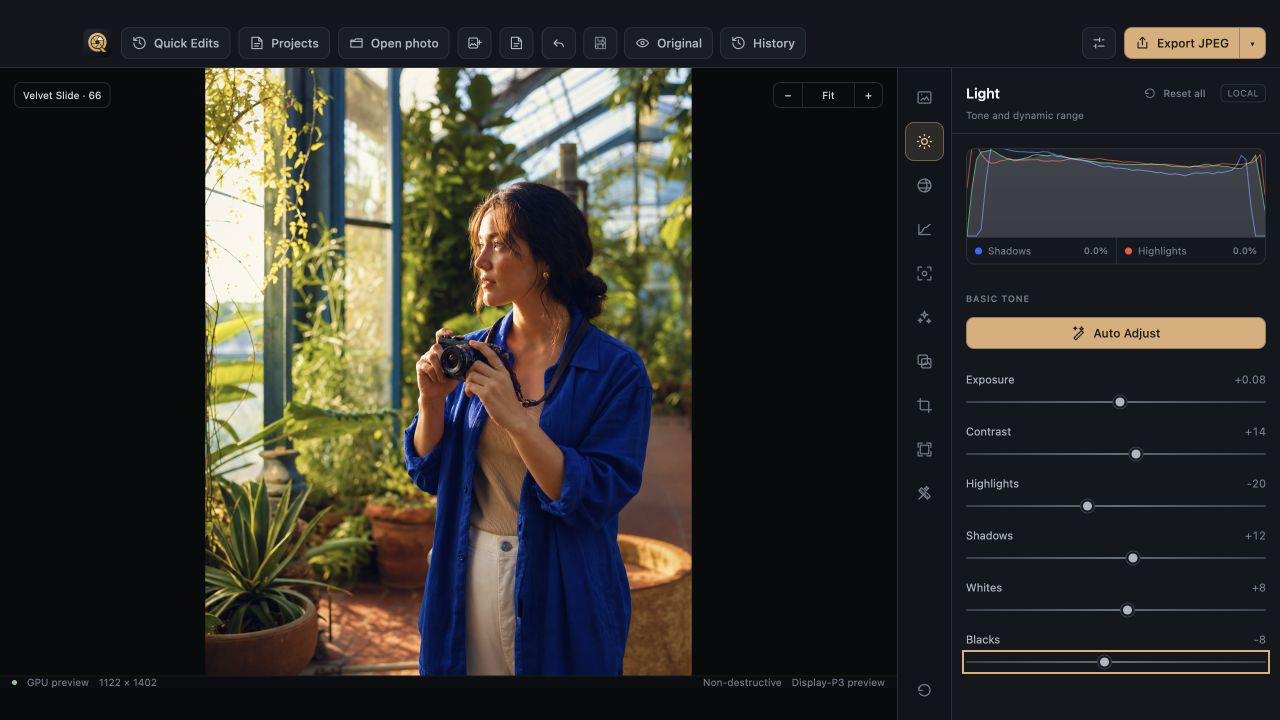
Quiutie desktop editor shaping light in a sunlit greenhouse portrait.
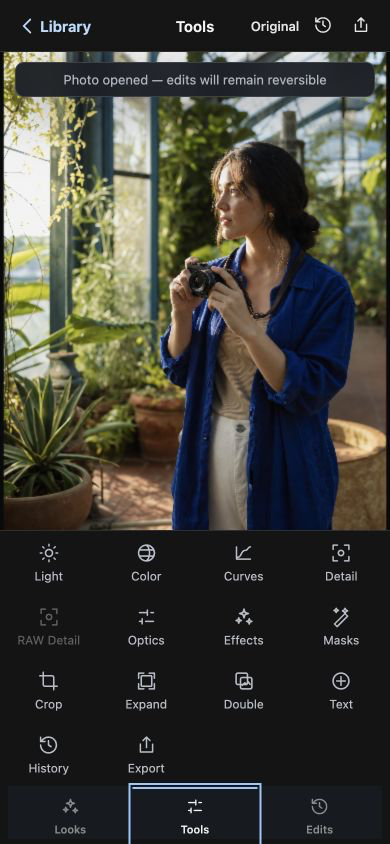
Quiutie for iPhone showing the full editing tool grid.
Actual Quiutie interfaceLight shaped with reversible controls
Full editing toolkitReversible adjustmentsDesigned for real photographsAffordable by choice

The photograph stays the photograph

Shape what is already there.

Quiutie is not a restoration or upscaling tool. It gives you direct control over the light, color, and emphasis already present in your photograph.

The full-resolution source greenhouse portrait.
Source photograph1122 × 1402 · shown without degradation
The source photograph open in Quiutie with the real Color controls visible.
LightExposure, highlights, shadows, tonal anchors
ColorTemperature, tint, vibrance, saturation
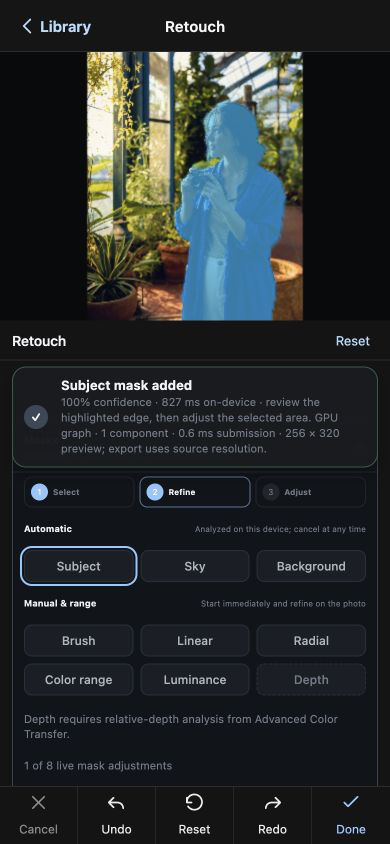
LocalSubject mask for selective adjustments

The screen above is the actual editor working on this source file. The image is not blurred, damaged, or artificially weakened to exaggerate the result.

The desktop editor

A real workflow, from first adjustment to final frame.

Every screen below is the actual app editing one of the photographs on this page. Choose a tool to follow the work.

01

Light

Balance the light in the frame.

Set exposure, soften highlights, open shadows, and choose the tonal anchors with a live histogram beside the image.

Exposure +0.08 · Contrast +14 · Highlights −20 · Shadows +12
Quiutie desktop Light panel editing a sunlit greenhouse portrait.
Alpine canoe photograph edited in Quiutie.Edited in Quiutie

Made for the photos you chase

Subtle when it should be. Bold when it needs to be.

Pull back a bright horizon, sharpen the mountain air, and give the red canoe enough presence to lead the frame. The controls stay out of the photograph’s way.

  • 01 Tone and color that remain natural
  • 02 Detail controls for atmosphere and texture
  • 03 Crop tools for a stronger final composition

Quiutie for iPhone

The same editing ideas, wherever the photo finds you.

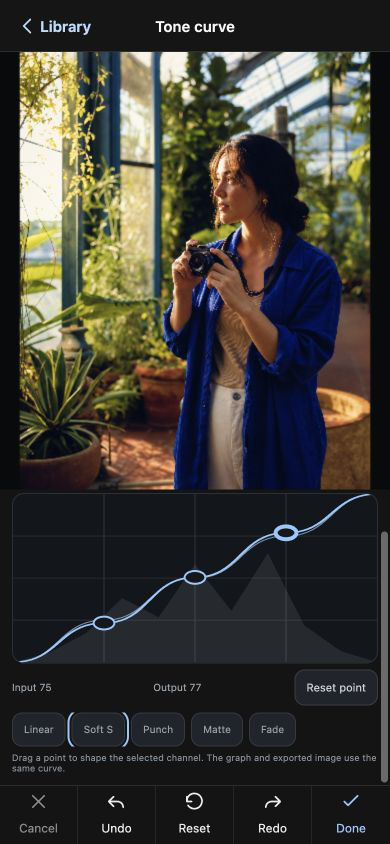
Curves, local masks, detail, crop, history, export, and more fit into a touch-first editor designed for iPhone.

Freefor iPhone

No subscription or account required.

More than a quick filter

The common tools, properly considered.

A focused editor does not need to be a small editor. Quiutie covers the adjustments enthusiasts reach for across a complete edit.

01Tone

Exposure, contrast, highlights, shadows, whites, blacks

02Color

White balance, vibrance, saturation, and targeted control

03Curves

Precise tone shaping with editable control points

04Detail

Sharpening, clarity, dehaze, and noise reduction

05RAW detail

Controls for camera files when the source supports them

06Optics

Lens-aware correction controls

07Effects

Texture, atmosphere, and finishing controls

08Masks

Subject selection and reversible local adjustments

09Geometry

Crop, rotate, flip, straighten, and expand

10Finishing

Text, history, Looks, and color-managed export

Reversible to the end

Explore freely. Deliver deliberately.

History keeps the path back. Export keeps the destination clear. Choose format, profile, quality, size, naming, metadata, and sharpening when the photograph is ready to leave the editor.

HistoryJPEG / PNG / TIFFColor profilesMetadata
Quiutie desktop History panel showing reversible editing steps.
Quiutie desktop Export panel with format and color controls.
Rainy evening cyclist photograph edited in Quiutie.Final image
Quiutie on iPhone showing Looks applied to the portrait.
The cherry on top

Looks, when you want a creative starting point.

Preview a visual direction on your own photograph, adjust the amount, then keep refining with the full editor. Looks complement the workflow—they do not replace it.

Available on iPhone

iPhone first. More platforms later.

The complete iPhone edition is free. Separate iPad and desktop editions are planned, with availability and pricing to be announced.

iPhone
Free

The complete touch-first editing workflow, with no subscription.

  • Light, color, curves, and detail
  • Masks, crop, history, and export
  • Looks for an optional creative finish
Explore the iPhone editor
iPad + Desktop
Coming soon

Separate experiences designed for larger screens.

  • iPad and desktop editions are in development
  • Availability will be announced later
  • Pricing has not been finalized
Explore the workflow

The short version

Questions, answered.

Is Quiutie a preset app?

No. It is a complete photo editor with light, color, curves, detail, RAW, optics, masks, crop, history, and export tools. Looks are an optional finishing step.

Is the iPhone editor limited?

No. The iPhone edition carries the complete core editing workflow, including curves, masks, history, and export.

What platforms are planned?

Quiutie is launching first as a free iPhone app. Separate iPad and desktop editions are planned, with availability and pricing to be announced later.

Are edits reversible?

Yes. Adjustments remain non-destructive, and History makes it easy to revisit the decisions that shaped the photograph.